eSIM for Bonaire: Best Plans, Coverage, and Setup Tips
Everything you need to know about using eSIM in Bonaire. Best data plans, network coverage, and setup instructions.
By Hello Travel Team
TL;DR: The Best eSIM for Bonaire Travel
For most visitors, a Hello eSIM is the easiest way to get Bonaire travel internet: buy your plan before departure, install it over Wi-Fi, and arrive ready to use mobile data without visiting a shop. Hello offers plans for 200+ countries, with Bonaire options starting at 5GB and prices updated live in the Hello app.
Coverage is strongest around Kralendijk, the main roads, resorts, and the leeward dive coast. Expect weaker or intermittent service in remote areas such as Washington Slagbaai National Park, parts of the north coast, and Klein Bonaire. Keep offline maps downloaded for driving, diving, and beach days away from town.
Bonaire eSIM Plans: How Much Mobile Data Do You Need?
The right Bonaire eSIM plan depends mainly on trip length and whether you use your phone for navigation, messaging, photos, or video. Hello’s plans start at 5GB, which is usually enough for a short holiday with moderate use; heavier users should choose more data or an unlimited option when available in the app.
As a practical guide for 2026:
| Travel style | Suggested data | Typical use |
|---|---|---|
| Weekend break | 5GB | Maps, messaging, bookings, light social media |
| One-week holiday | 5–10GB | Daily navigation, restaurant searches, photos, music |
| Diving or road-trip week | 10GB+ | Frequent maps, uploads, weather, video calls |
| Heavy streaming | Unlimited option | Video, hotspot use, large photo backups |
Hello’s live pricing should be checked shortly before purchase because plan prices and availability can change. A useful approach is to download hotel and driving information before flying, then use mobile data for live navigation, weather updates, dive-site conditions, and reservations. The Hello eSIM for Bonaire can be purchased and activated before departure, so you do not need to exchange your primary SIM on arrival.
Bonaire Mobile Data Coverage: Kralendijk, Dive Sites, and National Parks
Bonaire mobile data is generally reliable in Kralendijk and other populated areas, but reception becomes less predictable in remote landscapes and offshore locations. Local network information indicates widespread 4G service around Kralendijk, along main roads, and on much of the western, leeward coast.
You can usually expect a usable connection around popular coastal stops such as 1000 Steps, Andrea I, and Angel City, although signal strength may vary. Coverage can become patchy along the east coast, the north coast, and in Washington Slagbaai National Park. Klein Bonaire has no dependable mobile coverage, so download boat-trip details, maps, and emergency information before crossing from Kralendijk.
For a smooth trip, save Google Maps or another navigation area offline, screenshot rental-car instructions, and download accommodation contact details. Hotels and restaurants commonly provide Wi-Fi, but relying exclusively on public Wi-Fi is inconvenient when you are driving between beaches or checking directions after a dive. Hello eSIM plans connect through local partner networks, providing mobile data without requiring a physical SIM swap.
Hello eSIM Setup for Bonaire Before You Fly
Setting up a Hello eSIM before your Bonaire trip usually takes only a few minutes, but installation should be completed while you have stable Wi-Fi. Buy a plan in the Hello app, install the eSIM according to the on-screen instructions, and keep your primary number available for calls or two-factor authentication if needed.
Use this checklist:
- Confirm that your phone is unlocked and supports eSIM technology.
- Purchase a Hello Bonaire plan in the app while connected to Wi-Fi.
- Install the eSIM using the app’s instructions or activation details.
- Label the new line “Bonaire” so it is easy to identify.
- Set the Hello line as the source for mobile data after landing.
- Turn off data roaming on your home line to avoid unexpected charges.
- Enable data roaming for the Hello line only if the setup instructions require it.
Do not delete the eSIM after installation; you may need it to reconnect during the trip. If your phone supports dual SIM, keep your regular line active for incoming messages while directing data through Hello. Test the eSIM before departure, but remember that the plan may begin counting down only when it first connects, depending on its terms.
Bonaire Travel Internet Tips for Diving, Driving, and Remote Beaches
The most dependable Bonaire travel internet strategy is to combine a Hello eSIM with offline planning, because the island’s best experiences often take place beyond consistently covered urban areas. Download maps before collecting your rental car and save the addresses of your accommodation, dive operator, and planned restaurants.
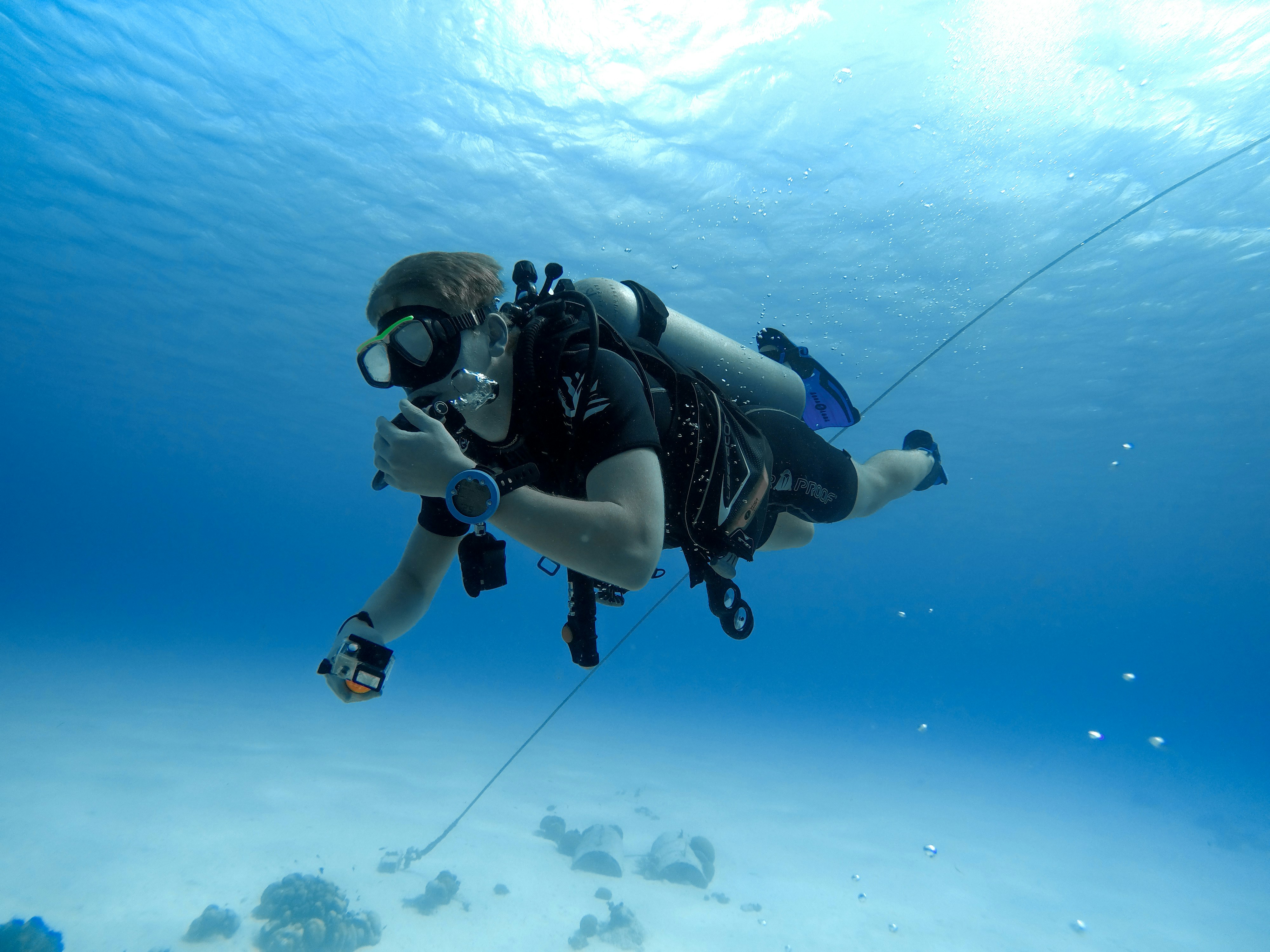
Bonaire is a diver’s destination, and many shore-entry sites are reached along quiet coastal roads rather than in dense neighborhoods. Keep your phone charged, carry a power bank, and avoid assuming that a signal will be available at every beach or park trail. A waterproof phone pouch is useful for shore dives and boat trips, while a printed accommodation address can help if your battery or connection fails.
For data efficiency:
- Use offline maps instead of continuously loading map tiles.
- Disable automatic photo backups until you return to Wi-Fi.
- Download podcasts, playlists, and dive briefings in advance.
- Use messaging apps for calls when cellular voice roaming is expensive.
- Check weather and marine conditions before leaving Kralendijk.
In 2026, a simple lunch may cost about $12–25 per person, while a casual dinner can run approximately $25–50, so use Hello’s expense tools to record costs in multiple currencies and split shared rental-car, boat, or restaurant expenses with friends.
Common Questions About eSIM Bonaire
Most travellers can use an eSIM in Bonaire without difficulty if their phone is unlocked, eSIM-compatible, and configured to use the Hello line for mobile data. The main practical limitation is not installation but coverage in remote areas, where offline maps and downloaded travel information remain important.
Does Bonaire support eSIM? Yes. An eSIM from Hello can be purchased and installed before your trip, allowing you to arrive with a mobile-data connection ready to use.
Is 5GB enough for Bonaire? For a typical week, 5GB is often sufficient for maps, messaging, web searches, reservations, and light social media. Choose more data if you upload large videos, use hotspot connectivity, or make frequent video calls.
Will my Hello eSIM work in Washington Slagbaai National Park? Coverage can be limited or intermittent in the park. Download maps and essential information before entering, and do not rely on mobile data for navigation or emergencies in remote areas.
Can I use my normal SIM and Hello eSIM together? Many compatible phones support dual SIM. Keep your regular line for calls or verification messages and select Hello as the mobile-data line, with data roaming disabled on your home SIM.
Where is coverage best? Kralendijk, populated areas, main roads, and the western leeward coast generally offer the most reliable service.
Using Hello for Connectivity, Expenses, and Trip Planning
Hello is useful beyond Bonaire mobile data because the same travel companion app combines connectivity with practical tools for managing a trip. Its eSIM service covers 200+ countries, while expense splitting and budget features help travellers keep shared costs organized from the first airport transfer to the final dive boat.
For a Bonaire group trip, scan restaurant receipts with Hello’s AI receipt scanner, even when receipts use a different language or currency. You can also enter expenses by voice, import bank statements in CSV or PDF format, and let the app categorize spending automatically. Multi-currency tracking uses automatic exchange rates, while expense splitting converts shared costs across currencies—helpful when one traveller pays for a rental car in U.S. dollars and another settles accommodation or meals on a different card.
Before leaving, use Hello to buy and install your Bonaire eSIM, then create a trip budget for accommodation, car hire, diving, food, and activities. After arrival, your phone can remain connected for navigation and bookings while your spending record stays in one place. Hello is available at travelwithhello.com and through the App Store and Google Play.
Explore These Destinations
Stay Connected
Stay connected in Bonaire
Get an eSIM before you land. Hello gives you instant data in 200+ countries — no SIM swaps, no roaming fees.
Related Articles
Bonaire Currency & Money Guide: Exchange, Cards, and Tips
Currency exchange, credit card acceptance, ATM tips, tipping culture, and money-saving advice for Bonaire.
24 July 2026
Bonaire Safety Guide: Tips for a Safe Trip
Safety tips, health advisories, emergency contacts, common scams, and travel insurance advice for Bonaire.
16 July 2026
Bonaire Visa & Entry Requirements for Singapore Passport Holders
Visa requirements, passport validity, customs allowances, and entry tips for Singapore citizens travelling to Bonaire.
7 July 2026