eSIM for Singapore: Best Plans, Coverage, and Setup Tips
Everything you need to know about using eSIM in Singapore. Best data plans, network coverage, and setup instructions.
By Hello Travel Team
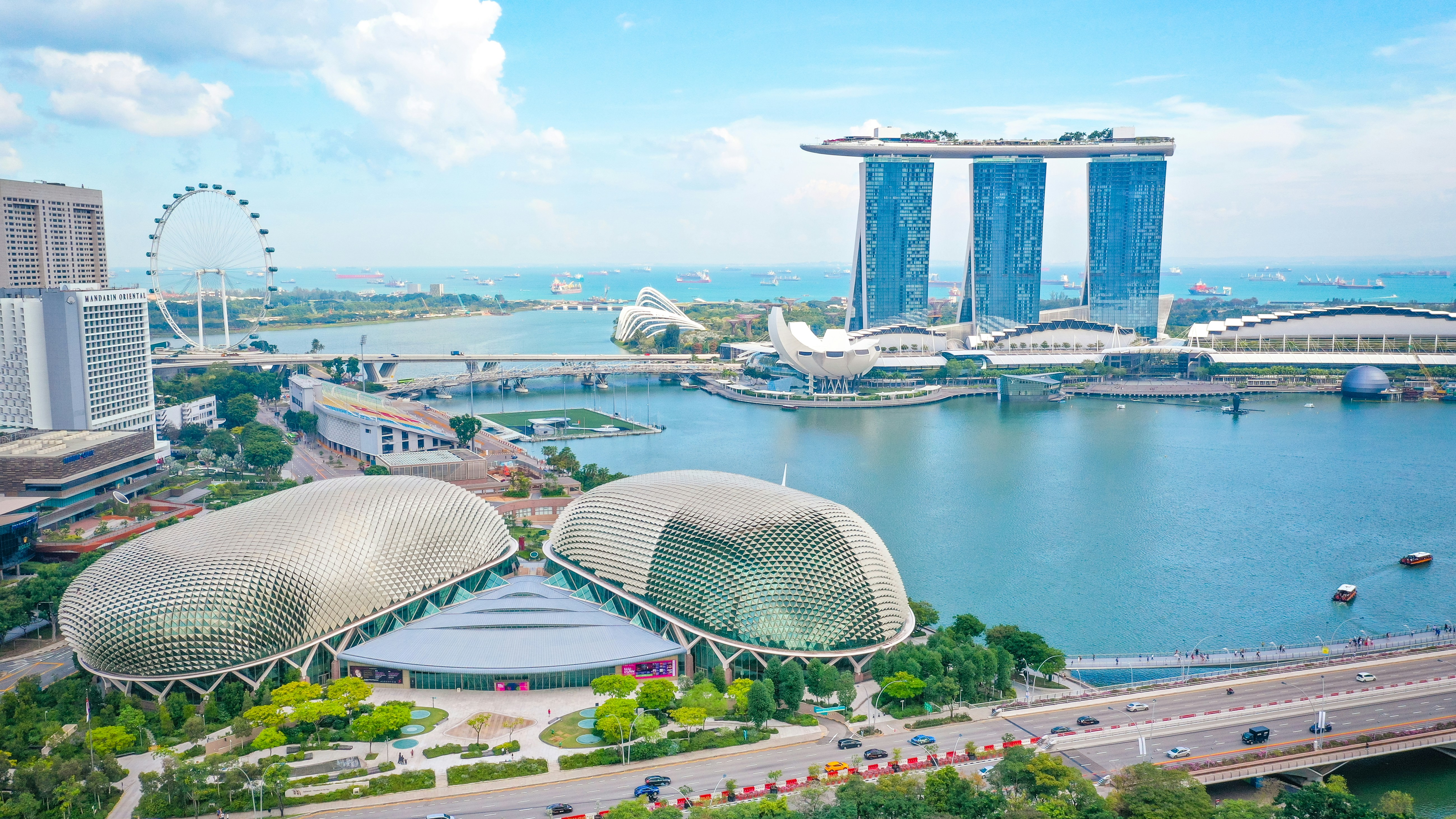
TL;DR: The Best eSIM Singapore Option for Most Travellers
For most visitors, a Hello eSIM is the simplest way to get Singapore mobile data: buy it before departure, install it while connected to Wi-Fi, and switch it on after landing at Changi Airport. Singapore has excellent 4G and expanding 5G coverage across tourist areas, MRT routes, shopping districts, and Sentosa, while Hello plans start from 5GB with prices updated live in the Hello app.
Choose your Singapore eSIM plan according to trip length and usage. Around 5GB is usually enough for maps, messaging, ride-hailing, and occasional social media during a short visit; heavier users should choose more data for video, hotspot use, or frequent uploads. Hello also combines connectivity with trip planning, expense splitting, and budget tracking in one travel companion app.
Singapore eSIM Plans: How Much Mobile Data Do You Need?
The right Singapore eSIM plan depends more on your daily habits than on the number of days you stay; maps, messaging, digital payments, and ride-hailing use relatively little data, while video streaming and hotspot use can consume gigabytes quickly.
Hello offers Singapore eSIM plans starting from 5GB, with current prices displayed live rather than fixed in this guide. As a practical guide for 2026:
| Traveller type | Typical trip | Suggested data | Best for |
|---|---|---|---|
| Light user | 3–5 days | 5GB | Maps, messaging, Grab, email |
| Regular user | 5–10 days | 10GB–15GB | Social media, translation, browsing |
| Heavy user | 7–14 days | 20GB or more | Video, uploads, hotspot, work |
A 5GB plan can comfortably cover navigation between Changi Airport, Marina Bay, Chinatown, and Sentosa if you download entertainment and maps before leaving. Increase your allowance if you plan to work remotely, share a connection with another device, or upload frequent video from Gardens by the Bay and Universal Studios Singapore.
You can review available Hello eSIM plans for Singapore before departure. Buying early also lets you install the eSIM at home, when you have dependable Wi-Fi.
Singapore Mobile Data Coverage: 4G, 5G, MRT, and Tourist Areas
Singapore provides reliable mobile data across almost the entire island, with strong 4G service and increasingly widespread 5G in central districts, Changi Airport, Sentosa, and major transport corridors.
Hello eSIM connectivity is designed for the places travellers actually use their phones. Expect dependable service around Orchard Road, Marina Bay, Chinatown, Little India, Clarke Quay, Jewel Changi Airport, and the main Sentosa attractions. Singapore’s compact geography means that even suburban areas such as Tampines and Woodlands are generally well served.
Standalone 5G networks covered nearly 100% of Singapore by 2024, including many indoor venues and underground MRT sections, according to a Singlife telecommunications report. In practice, your exact experience depends on the Hello eSIM’s available local network, your phone model, building materials, and congestion. A 4G connection remains sufficient for Google Maps, translation, QR tickets, calls, and ride-hailing.
Coverage can briefly fluctuate inside deep underground sections, lifts, car parks, or crowded venues. Download an offline map of Singapore before travelling, and save your hotel address in your phone. Free #WiFi@Changi is available in public and transit areas at Changi Airport, but an active Hello eSIM is more convenient once you leave the terminal.
How to Set Up a Hello eSIM for Singapore Before You Fly
Install your Hello eSIM before departure, but wait until arrival to select it as your primary mobile-data line; this minimizes airport hassle and helps prevent accidental roaming charges.
Use this setup sequence:
- Confirm that your phone supports eSIM and is unlocked. Most recent iPhones, Google Pixel models, and Samsung Galaxy devices support eSIM, but regional variations exist.
- Buy your Singapore plan in the Hello app or at travelwithhello.com while connected to reliable Wi-Fi.
- Add the eSIM using the installation instructions provided by Hello. Label it “Singapore” so it is easy to identify alongside your home line.
- Keep your regular SIM active for receiving important texts if your carrier allows it, but disable its data roaming.
- After landing, open mobile settings, select Hello as the mobile-data line, enable data roaming for the Hello line if instructed, and turn off automatic data switching.
- Test the connection by opening a webpage or map before leaving Changi Airport.
Do not delete the eSIM during your trip if troubleshooting; many eSIM profiles cannot be reinstalled freely. If activation takes a few minutes, toggle airplane mode, restart the phone, and check that the Hello line is enabled. Save your accommodation address offline in case you need it before connecting.
Using Singapore Travel Internet: Costs, Wi-Fi, and Everyday Tips
A Hello eSIM can reduce travel friction because you can use Singapore mobile data immediately for transport, directions, reservations, and digital payments without searching for a shop after landing.
Singapore is highly connected, but free Wi-Fi should be treated as a backup rather than your only internet source. Changi Airport provides #WiFi@Changi in public and transit areas, and Wireless@SG offers public hotspots in locations such as malls, museums, libraries, and transport areas. Public Wi-Fi is useful for downloading a plan or messaging your hotel, but a Hello eSIM gives you access while walking between stations or finding a restaurant.
For a realistic 2026 travel budget, hawker-centre meals commonly cost about S$5–12 per person, while casual restaurant meals often cost approximately S$15–30. Mobile data helps you compare menus, navigate to food centres, and use cashless payment apps without relying on Wi-Fi. Keep a small amount of Singapore cash for smaller hawker stalls and market purchases.
The Hello app can also scan receipts in different languages and currencies, import bank statements as CSV or PDF files, apply automatic exchange rates, and split expenses with friends across multiple currencies. That is useful when one person pays for a taxi, attraction tickets, or a group meal.
Common Questions About eSIM Singapore Plans
Most travellers can use an eSIM in Singapore without visiting a shop, provided their phone is unlocked, eSIM-compatible, and the Hello plan is installed correctly before arrival.
Does Singapore support eSIM for tourists? Yes. Hello provides eSIM connectivity for Singapore, allowing visitors to purchase a plan before travelling and activate it on a compatible device. Local prepaid services may require passport registration, but the setup process for a Hello travel eSIM is completed through the app and device settings.
Will a Singapore eSIM work at Changi Airport? Yes, an installed Hello eSIM should connect after you disable airplane mode and select it for mobile data. Changi also offers free airport Wi-Fi, which can help if you need to complete setup after landing.
Is 5GB enough for Singapore? For a three- to five-day trip, 5GB is generally enough for navigation, messaging, translation, ride-hailing, email, and light social media. Choose more data for video, hotspot use, remote work, or frequent photo and video uploads.
Can I keep my home number? Usually, yes. Keep your home SIM enabled for calls or texts if required, but disable its data roaming and set Hello as the data line. Check your home carrier’s roaming fees before departure.
Will an eSIM work on the Singapore MRT? Coverage is strong across much of the MRT network, including many underground sections, although brief interruptions can occur in deep tunnels or crowded stations.
Final Singapore eSIM Checklist for a Smooth Arrival
The easiest Singapore connectivity setup is to install a Hello eSIM at home, activate it after landing, and keep offline backups for your first few hours in the country.
Before your flight, complete this checklist:
- Check that your phone is unlocked and supports eSIM.
- Update your operating system and back up important travel information.
- Purchase a Hello Singapore eSIM plan based on your expected data use.
- Install the eSIM over home, hotel, or airport Wi-Fi.
- Label the line “Singapore” and save the activation instructions.
- Download offline maps, hotel details, airport transfer information, and key attraction tickets.
- Disable data roaming on your home SIM.
- Bring a charging cable or power bank for long days across Marina Bay, Sentosa, and the city’s hawker centres.
Once you arrive, set Hello as your mobile-data line, enable data roaming for that line if required, and test a map or webpage. The Hello app is available for iOS and Android, and its travel tools can help you plan activities, track a multi-currency budget, scan receipts, and split costs with friends while your Singapore mobile data keeps everything accessible on the move.
Explore These Destinations
Stay Connected
Stay connected in Singapore
Get an eSIM before you land. Hello gives you instant data in 200+ countries — no SIM swaps, no roaming fees.
Related Articles
Singapore Safety Guide: Tips for a Safe Trip
Safety tips, health advisories, emergency contacts, common scams, and travel insurance advice for Singapore.
22 July 2026
Singapore Visa & Entry Requirements for Singapore Passport Holders
Visa requirements, passport validity, customs allowances, and entry tips for Singapore citizens travelling to Singapore.
13 July 2026
Singapore in 10 Days: The Ultimate Travel Itinerary
A comprehensive 10-day itinerary for Singapore covering top attractions, hidden gems, daily costs, and transport between cities.
23 June 2026