eSIM for Pakistan: Best Plans, Coverage, and Setup Tips
Everything you need to know about using eSIM in Pakistan. Best data plans, network coverage, and setup instructions.
By Hello Travel Team
TL;DR: Choosing an eSIM for Pakistan
For most travellers, an eSIM from Hello is the simplest way to arrange Pakistan mobile data before departure: install it on Wi-Fi, activate it when you land, and keep your regular number available for calls or verification codes. Hello offers Pakistan eSIM plans starting at 5GB, with prices updated live in the app and coverage designed for everyday travel in major cities and populated corridors. Pakistan’s strongest 4G service is generally found in Karachi, Lahore, Islamabad, Rawalpindi, Peshawar, and other large urban areas; mountain valleys and remote parts of Balochistan can be much less reliable. Buy your plan through Hello eSIM for Pakistan, download it before flying, and save offline maps for areas where coverage may disappear.
Best Pakistan eSIM Plan for Your Trip
The best Pakistan eSIM plan depends mainly on trip length, navigation needs, and whether you use your phone for video, hotspotting, or work. A 5GB Hello eSIM plan is a practical starting point for a short city break of roughly 5–7 days if you use hotel Wi-Fi for streaming and download maps in advance. For a 10–14-day itinerary covering several cities, choose a larger Hello plan so directions, ride-hailing, messaging, translation, and social media do not consume your allowance too quickly. Prices change with plan size and validity, so check the Hello app or website immediately before purchase rather than relying on an old price quoted in a blog post.
| Trip style | Suggested data approach | Typical usage pattern |
|---|---|---|
| 3–5 days in Lahore or Islamabad | 5GB Hello plan | Maps, messaging, bookings, light social media |
| 7–14 days across cities | Larger Hello plan | Frequent navigation, uploads, transport apps |
| Northern Pakistan road trip | Larger plan plus offline backups | Connectivity may be intermittent outside towns |
| Remote work | High-data plan and Wi-Fi backup | Video calls can consume data quickly |
As a rough 2026 planning guide, map navigation may use only a few megabytes per hour, while video calls can use hundreds of megabytes per hour. Hello plans are data-focused, so retain your usual SIM for SMS-based account codes and use Wi-Fi or local numbers where voice calling is essential.
Pakistan Mobile Data Coverage: Cities, Highways, and Mountains
Pakistan mobile data is most dependable in large cities and along major transport corridors, while coverage becomes unpredictable in remote valleys, high plateaus, and sparsely populated districts. Current travel-network guides consistently report strong 4G availability in Karachi, Lahore, Islamabad, Rawalpindi, Peshawar, Multan, and Faisalabad, with service also following major motorways and populated routes. For travellers, that usually means reliable access for maps, messaging, and bookings during urban sightseeing and intercity travel.
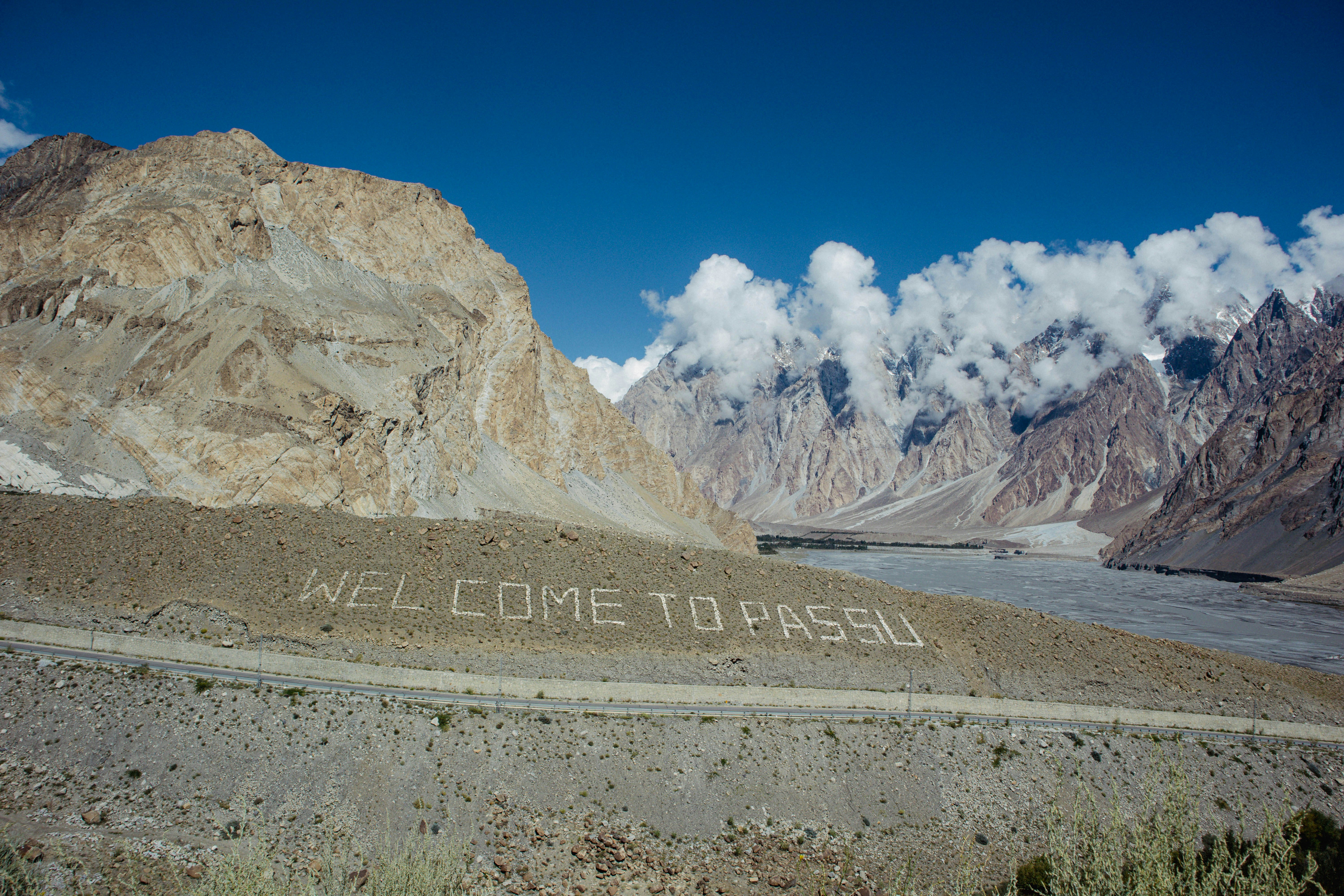
Northern Pakistan requires more preparation. Gilgit, Hunza, Karimabad, and Skardu town centres generally have mobile service, but signal can weaken or disappear in side valleys, trekking areas, Fairy Meadows, Deosai, and remote sections of the Karakoram Highway. No Pakistan travel internet solution can guarantee coverage where there is no nearby tower. Download Google Maps or another offline map, screenshot hotel reservations, and tell someone your route before leaving a connected town.
Pakistan remains primarily a 4G destination for travellers. Reports published in 2026 differ on the timing and practical availability of commercial 5G after spectrum developments, so plan your Pakistan mobile data around 4G rather than expecting widespread 5G. An eSIM from Hello can connect through available partner networks, but performance still depends on local signal, congestion, terrain, and your phone’s supported bands.
How to Set Up Hello eSIM in Pakistan
Install your Hello eSIM before departure on a stable Wi-Fi connection, then activate its data line after landing so you arrive online without searching for a shop or waiting for registration. Before buying, confirm that your phone is unlocked and supports eSIM; most recent iPhones, Google Pixel models, Samsung Galaxy devices, and many premium Android phones do, but regional variants differ. Also check that your operating system is updated.
Use this setup sequence:
- Purchase a Pakistan plan in the Hello app or through the Pakistan eSIM page.
- Install the eSIM while connected to Wi-Fi, following the in-app instructions.
- Label the new line “Pakistan” so you can identify it easily.
- Keep your primary SIM enabled for calls and text messages if needed, but select Hello as the mobile-data line.
- Turn off data roaming on your primary SIM to avoid accidental charges.
- Enable data roaming for the Hello line if the setup instructions require it.
- After landing, restart your phone or toggle airplane mode if it does not connect immediately.
Do not delete the eSIM during troubleshooting: many travel eSIMs cannot simply be reinstalled after removal. If service is slow, check that Hello is selected for mobile data, automatic network selection is enabled, and your phone is not still trying to use your home SIM.
Practical Pakistan Travel Internet Tips for 2026
The most reliable Pakistan travel internet strategy combines a Hello eSIM with offline planning, hotel Wi-Fi, and realistic expectations about mountain coverage. In cities, mobile data is useful for ride-hailing, restaurant searches, translation, digital payments, and sharing live locations with friends. In busy markets, stations, and airports, keep your phone secure and avoid displaying it unnecessarily in crowded areas.
A few habits make a noticeable difference:
- Download offline maps for Islamabad, Lahore, Karachi, the Hunza route, and your planned side trips.
- Save your accommodation address in English and, when possible, Urdu; showing a screenshot can be easier than relying on a live connection.
- Download transport and translation resources before long drives.
- Carry a power bank, particularly on road trips through Gilgit-Baltistan.
- Use hotel or café Wi-Fi for large photo backups and software updates.
- Monitor data usage after the first day; automatic cloud backups and video apps can consume a plan quickly.
Budget separately for connectivity. In 2026, a traveller using maps and messaging moderately may manage well with a 5GB plan for a short trip, while frequent uploads, tethering, or remote work justify more data. Hello’s app also supports multi-currency expense tracking, AI receipt scanning, voice expense entry, and splitting costs across currencies—useful when a group shares fuel, guides, accommodation, or meals.
Common Questions About eSIM Pakistan Plans
An eSIM from Hello works well for most visitors who need convenient Pakistan mobile data, especially when their itinerary focuses on connected cities and main tourist routes. The main limitations are remote-area signal gaps, phone compatibility, and the fact that data plans do not necessarily provide a local Pakistani phone number for ordinary voice calls or SMS.
Does Pakistan support eSIM? Yes. Compatible unlocked phones can use an eSIM for data in Pakistan, and Hello offers Pakistan plans that can be installed before travel.
Will Hello eSIM work in Karachi, Lahore, and Islamabad? These cities generally have strong 4G availability. Actual speeds vary by neighbourhood, building construction, congestion, and the local partner network available at the time.
Will I have coverage in Hunza or Skardu? Town centres usually have some service, but coverage is patchier on mountain roads, in side valleys, and at trekking destinations. Download offline maps before leaving town.
Can I keep my normal number? Usually, yes. Keep your primary SIM active for calls or verification messages, select Hello for mobile data, and disable data roaming on the primary line.
How much Pakistan mobile data do I need? Five gigabytes can suit a short, moderate-use trip. Choose more for two weeks, frequent photo uploads, hotspot use, or work calls.
Can I install it after landing? You can, but installing before departure is safer because airport Wi-Fi may be slow or unavailable. Activate the data line after arrival.
Planning Costs, Payments, and Connectivity Across Pakistan
Plan your Pakistan eSIM alongside transport, accommodation, and shared-trip costs because connectivity is most valuable when you are moving between cities or coordinating with others. A 2026 budget traveller might spend roughly $5–15 per day on simple meals and local transport, while comfortable private transport, guides, and higher-end hotels can raise daily costs substantially; prices vary widely by city, season, and exchange rate. Treat these as planning estimates rather than fixed tariffs.
Connectivity is particularly useful for checking booking details, confirming driver meeting points, translating menus, and sharing live locations. In Islamabad and Lahore, service is generally convenient throughout central areas. In Karachi, urban distance and traffic make reliable navigation especially helpful. During a northern road trip, download documents before leaving Gilgit or Skardu and tell your accommodation when you expect to arrive, since a missed signal can last for hours.
Hello’s travel companion app can keep the financial side organised as well as the connectivity side. You can scan receipts in different languages and currencies, import bank statements as CSV or PDF files, add expenses by voice, and split group costs with automatic exchange-rate conversion. That is practical when one person pays for a jeep, another covers lodging, and the group settles up later in different currencies. Check live Hello plan pricing before departure, install the eSIM on Wi-Fi, and keep a small offline emergency plan for every remote leg.
Explore These Destinations
Stay Connected
Stay connected in Pakistan
Get an eSIM before you land. Hello gives you instant data in 200+ countries — no SIM swaps, no roaming fees.
Related Articles
Pakistan Safety Guide: Tips for a Safe Trip
Safety tips, health advisories, emergency contacts, common scams, and travel insurance advice for Pakistan.
21 July 2026
Pakistan Visa & Entry Requirements for Singapore Passport Holders
Visa requirements, passport validity, customs allowances, and entry tips for Singapore citizens travelling to Pakistan.
11 July 2026
Pakistan in 10 Days: The Ultimate Travel Itinerary
A comprehensive 10-day itinerary for Pakistan covering top attractions, hidden gems, daily costs, and transport between cities.
22 June 2026