eSIM for Macao: Best Plans, Coverage, and Setup Tips
Everything you need to know about using eSIM in Macao. Best data plans, network coverage, and setup instructions.
By Hello Travel Team
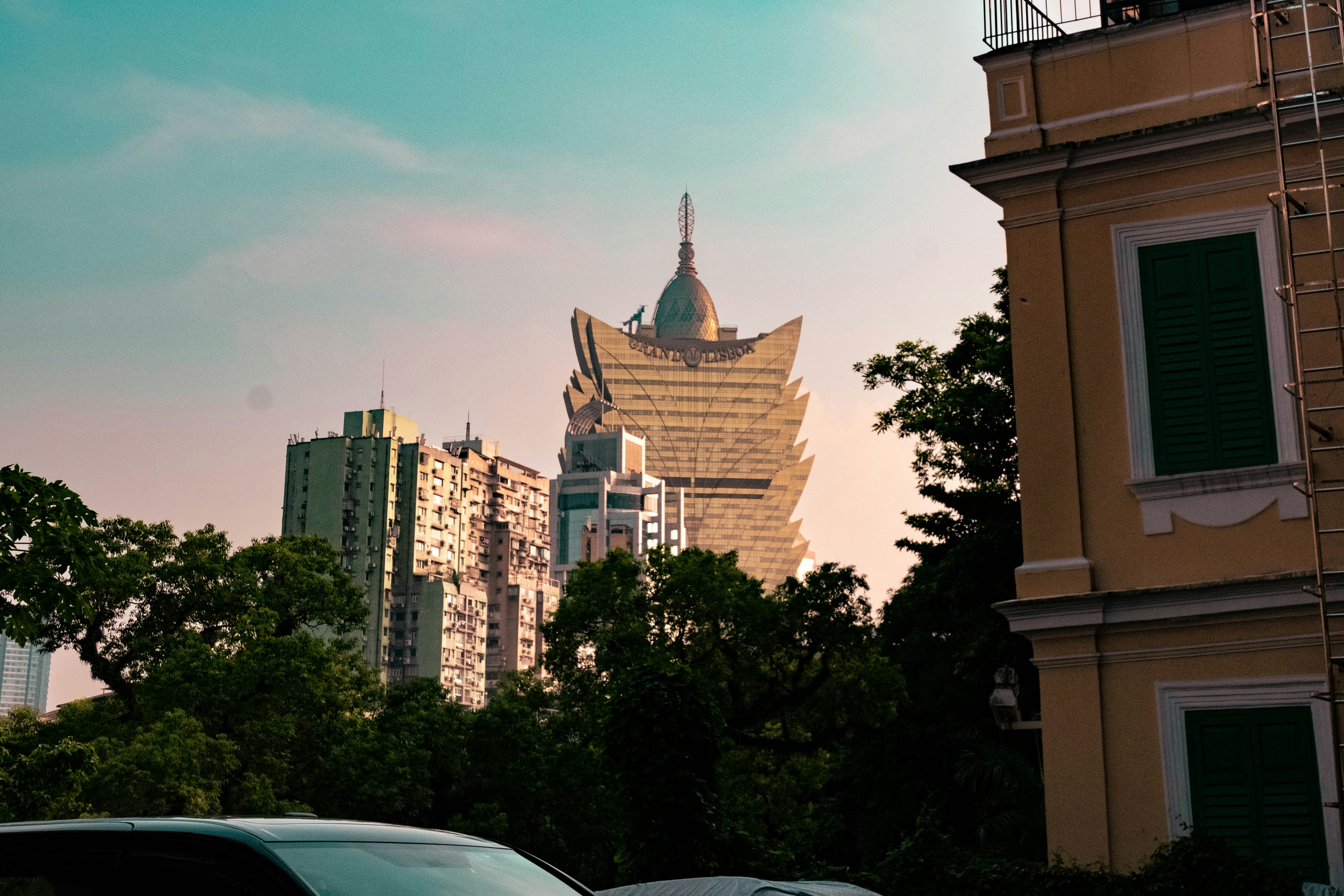
TL;DR: Is a Hello eSIM Worth It for Macao?
Yes—an eSIM from Hello is one of the simplest ways to arrange Macao travel internet before departure, with mobile data ready when you land and no need to find a local shop. Hello’s plans start from 5GB, making them practical for maps, translation, ride-hailing, messaging, and digital payments during a short visit.
Macao recorded 40,069,360 visitor arrivals in 2025, according to Macao’s Statistics and Census Service, so busy border crossings, ferry terminals, and tourist areas can be crowded. Buy and install your Hello eSIM for Macao before travelling, then activate it after arrival. Coverage is generally strong across the Macao Peninsula, Taipa, Cotai, and Coloane, although indoor performance can vary in large resorts, basements, and historic buildings.
Best Macao eSIM Plan for Your Trip Length and Data Needs
The best Macao eSIM plan depends on how long you are staying and whether you use Wi-Fi at your hotel; for most visitors, 5GB is a sensible starting point for a three- to seven-day trip focused on navigation, messaging, translation, and occasional social media.
Hello offers Macao eSIM plans starting from 5GB, with prices updated live in the Hello app and at travelwithhello.com. Because prices can change, check the current amount immediately before purchase rather than relying on an old screenshot or blog price. As a practical guide for 2026:
| Travel style | Typical data use | Recommended starting point |
|---|---|---|
| Weekend city break | 1–3GB | 5GB |
| One-week sightseeing trip | 3–6GB | 5GB or more |
| Frequent video, hotspot, or work use | 8GB+ | Choose the next larger plan |
Maps and messaging usually consume little data, while video calls, cloud photo backup, and streaming use much more. Download offline maps before leaving, disable automatic app updates, and set your phone to use the Hello line for mobile data. If you are visiting Macao from Hong Kong or mainland China, check the plan’s listed coverage before purchase because regional travel plans and Macao-only plans may have different terms.
Macao Mobile Data Coverage: Peninsula, Taipa, Cotai, and Coloane
Macao’s compact geography means visitors can generally expect reliable mobile data in the main tourist districts, including the Historic Centre, Taipa Village, the Cotai Strip, and Coloane; the main variables are buildings, congestion, and device compatibility.
Local mobile networks provide dense 4G and 5G coverage across the inhabited areas of Macao. Independent connectivity guides identify CTM, 3 Macau, and China Telecom Macau as active operators, with service extending to popular locations such as Hac Sa Beach. An eSIM from Hello connects through available local partner networks rather than requiring you to queue for a physical SIM after arrival.
Expect the strongest service outdoors and in modern urban areas. In casinos, shopping malls, hotel basements, ferry terminals, and thick-walled heritage buildings, your phone may briefly fall back from 5G to 4G or lose signal in enclosed areas. That is normal and does not necessarily indicate a problem with your plan.
For a smoother experience, keep automatic network selection enabled, restart your phone if it does not register after landing, and save your hotel address in Chinese or Portuguese. Macao’s official currency is the pataca (MOP), but Hong Kong dollars are also widely accepted in many tourist businesses; reliable mobile data helps with exchange-rate tools and digital receipts.
How to Install and Activate a Hello eSIM in Macao
Install your Hello eSIM while connected to Wi-Fi before departure, but activate mobile data only when you arrive in Macao so the validity period is used during your trip rather than at home.
Before you leave
- Confirm that your iPhone or Android phone supports eSIM and is carrier-unlocked.
- Purchase your Macao plan through Hello and follow the in-app installation instructions.
- Install the eSIM using Wi-Fi; do not delete it after installation.
- Label the line “Hello Macao” so you can identify it easily alongside your home SIM.
- Keep your primary SIM active for calls or SMS only if your carrier permits it without roaming charges.
After landing
- Open mobile settings and select Hello as the mobile-data line.
- Turn on data roaming for the Hello line if the installation instructions require it.
- Turn off data switching so your phone does not unexpectedly use your home SIM.
- Wait one or two minutes for registration, then test a map or webpage.
If service does not appear, toggle airplane mode, restart the device, and confirm that the Hello line is enabled. Keep the QR code or activation details accessible until the connection works. The Hello app is available for iOS and Android, so you can manage connectivity alongside trip planning and travel expenses.
Using Hello eSIM for Macao Travel Internet Without Overspending
The easiest way to control Macao mobile-data costs is to reserve cellular data for navigation and essential services, while using hotel, café, and attraction Wi-Fi for large downloads, video, and backups.
Macao’s public buses charge MOP 6 in cash on normal routes, according to government transport information, while stored-value-card fares can be lower. With mobile data, you can check routes, locate stops, and use translation tools instead of relying on printed directions. Keep a small amount of patacas available because not every transport or small food purchase is equally convenient for cards.
Useful data-saving settings include:
- Download Google Maps or another navigation map for the Macao Peninsula, Taipa, Cotai, and Coloane before departure.
- Disable automatic photo backup over cellular data.
- Restrict background data for video and social-media apps.
- Download hotel confirmations, ferry tickets, and attraction reservations for offline access.
- Use Wi-Fi for operating-system updates and long video calls.
The Hello app can also help organize the financial side of a group trip. Its AI receipt scanner recognizes different languages and currencies, while expense splitting supports automatic exchange-rate conversion. That is useful when one friend pays in MOP, another uses Hong Kong dollars, and the group settles costs later.
Common Questions About eSIM Macao and Macao Mobile Data
Most visitors can use Hello eSIM in Macao without a physical SIM, provided their phone is unlocked, eSIM-compatible, and configured to use Hello as the mobile-data line.
Does Macao support eSIM? Yes. Visitors can use an eSIM from Hello for mobile data instead of buying a physical SIM locally. Install it before departure and follow the plan’s activation instructions after arrival.
Can I use a Hello eSIM on an iPhone or Android phone? Most recent eSIM-compatible iPhones and Android phones work, but compatibility varies by model, region, and carrier lock. Check your device settings for an “Add eSIM” or “Add Mobile Plan” option before purchasing.
Will Hello eSIM work in Cotai and Coloane? Coverage is generally strong in the major populated and tourist areas, including Cotai, Taipa, and Coloane. Signal can be weaker inside concrete buildings, underground areas, and some remote coastal spots.
How much Macao mobile data do I need? For a short sightseeing visit, 5GB is a reasonable starting point. Choose more if you plan to stream video, make frequent video calls, use your phone as a hotspot, or upload photos continuously.
Can I keep my regular SIM active? Usually yes, for calls and SMS, but disable data roaming on your primary line and select Hello for mobile data to avoid unexpected roaming charges.
Practical Connectivity Tips for a Busy Macao Itinerary
Plan to install your Hello eSIM before travel and save essential information offline, because Macao’s busiest arrival points and attractions can be crowded even when the city itself is easy to navigate.
The 2025 visitor total of more than 40 million arrivals was a record, according to the Statistics and Census Service. Same-day visitors increased particularly strongly, meaning border gates, ferry terminals, Senado Square, the Ruins of St. Paul’s, and Cotai resorts can become congested during weekends, holidays, and major events.
Before your flight or ferry, save:
- Your hotel name, address, and phone number.
- Airport, ferry-terminal, or border-crossing directions.
- Booking confirmations and QR codes.
- A map of the Historic Centre and your planned Cotai route.
- Emergency contacts and any medication information.
Macao is a Special Administrative Region with Chinese and Portuguese influences. Street names may appear in Chinese and Portuguese, and English is common in hotels and major attractions but less consistent in small local businesses. A working data connection makes translation and address searches much easier.
If you are combining Macao with Hong Kong, do not assume every plan has identical regional coverage. Review the Hello plan details for the countries or regions included, then select the correct mobile-data line each time you cross a border. Use Hello’s budget-tracking tools to record transport, meals, attraction tickets, and shared hotel costs in multiple currencies.
Explore These Destinations
Stay Connected
Stay connected in Macao
Get an eSIM before you land. Hello gives you instant data in 200+ countries — no SIM swaps, no roaming fees.
Related Articles
Macao Currency & Money Guide: Exchange, Cards, and Tips
Currency exchange, credit card acceptance, ATM tips, tipping culture, and money-saving advice for Macao.
28 July 2026
Macao Safety Guide: Tips for a Safe Trip
Safety tips, health advisories, emergency contacts, common scams, and travel insurance advice for Macao.
19 July 2026
Macao Visa & Entry Requirements for Singapore Passport Holders
Visa requirements, passport validity, customs allowances, and entry tips for Singapore citizens travelling to Macao.
10 July 2026