eSIM for Honduras: Best Plans, Coverage, and Setup Tips
Everything you need to know about using eSIM in Honduras. Best data plans, network coverage, and setup instructions.
By Hello Travel Team
TL;DR: Choosing an eSIM for Honduras
Hello’s eSIM plans are a convenient way to arrange Honduras travel internet before departure, with instant activation and plans starting from 5GB. Choose a plan based on trip length and usage: 5GB generally suits light-to-moderate use for about a week, while 10GB or more is better for frequent navigation, video calls, social media, and hotspot use.
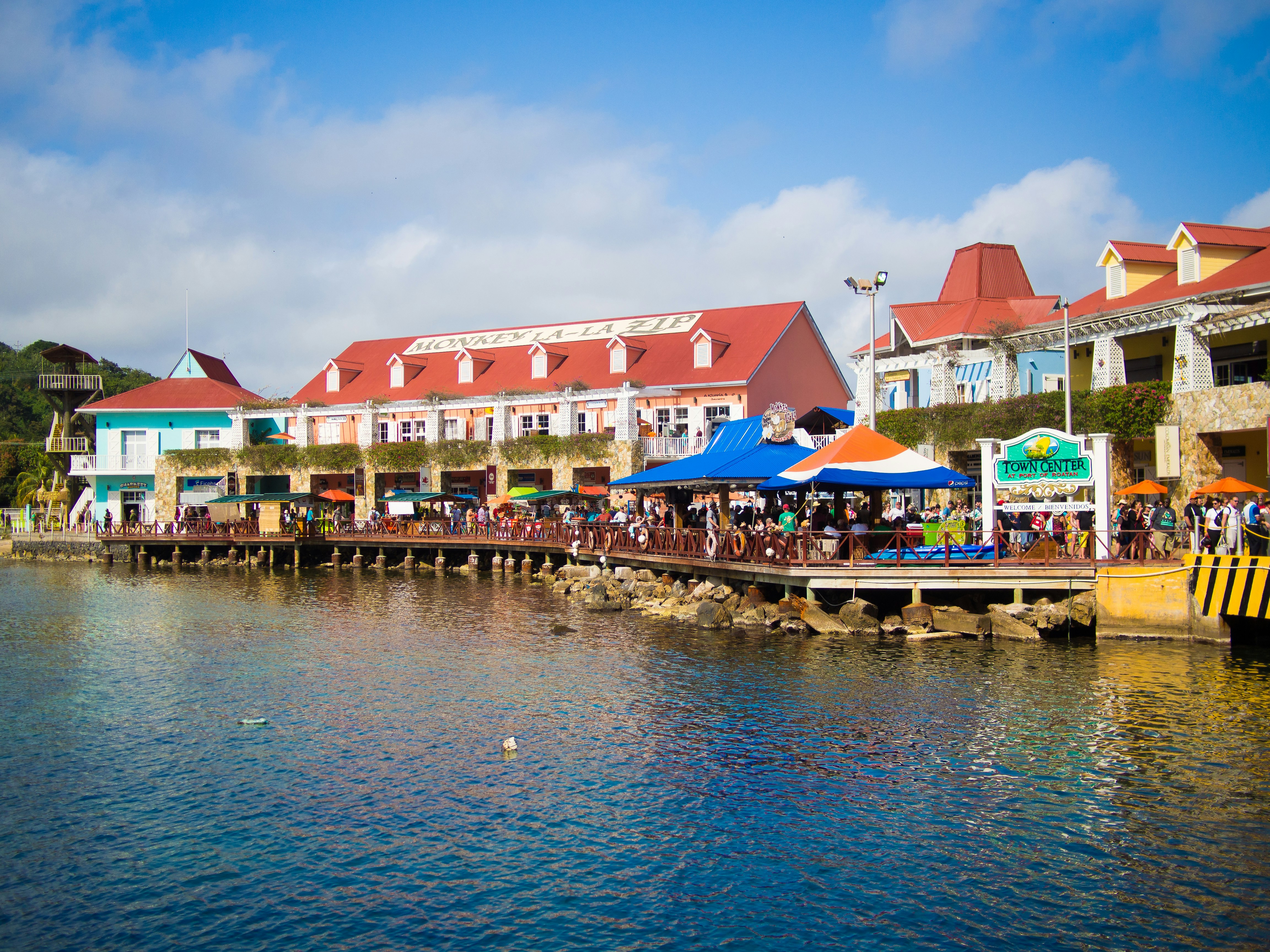
Honduras has reliable mobile service in major cities and tourist areas, including Tegucigalpa, San Pedro Sula, La Ceiba, Roatán, Utila, and Copán Ruinas, but coverage can weaken in mountainous and rural areas. Honduras received approximately 2.79 million visitors in 2024, according to Honduras’s National Statistics Institute, so arranging mobile data in advance is useful during busy travel periods. You can review the current Hello eSIM for Honduras options before your trip and arrive connected.
Best Honduras eSIM Plan for Your Trip and Data Needs
The best Honduras eSIM plan depends mainly on trip length, navigation habits, and whether you need data for work or tethering. For most travellers, a 5GB plan is a practical starting point for a one-week holiday, while 10GB or more provides extra room for frequent maps, translation, messaging, photo uploads, and video calls.
Hello’s plans start from 5GB, and prices are updated live in the Hello app and on the plan page. Because exact prices and validity options can change, check the current offer shortly before purchase rather than relying on an old price list. As a planning guide for 2026:
| Traveller profile | Suggested data | Typical usage |
|---|---|---|
| Short city break | 5GB | Maps, messaging, ride bookings, light social media |
| One-week island or road trip | 5–10GB | Navigation, restaurant research, uploads, calls |
| Two-week itinerary | 10GB or more | Frequent maps, video calls, streaming, hotspot |
| Remote worker | 10GB or more | Meetings, cloud files, email, backup connection |
Download offline maps for places such as Copán Ruinas, Pico Bonito, and Roatán before leaving Wi-Fi. This reduces data use and gives you a backup when travelling through areas with intermittent service. Hello’s eSIM connectivity covers 200+ countries, so the same app can also help organize connectivity for a multi-country Central America itinerary.
Honduras Mobile Data Coverage: Cities, Islands, and Rural Areas
Honduras mobile data is strongest in populated areas and established tourist destinations, while remote mountains, jungle roads, and some island locations can have weaker or intermittent service. The country’s main mobile networks are Claro and Tigo, and current travel connectivity guides report 4G availability in Tegucigalpa, San Pedro Sula, La Ceiba, Roatán, Utila, and other major visitor corridors.
Expect dependable service for ordinary travel tasks around airports, hotels, cafés, ferry terminals, and urban centres. Coverage may become less consistent on long-distance bus routes, in parts of La Mosquitia, around isolated beaches, and on rural roads between attractions. Even where a signal appears on your phone, speeds can vary with terrain, congestion, weather, and local network capacity.
Practical coverage tips include:
- Save hotel addresses, ferry times, tickets, and emergency contacts offline.
- Download maps for Roatán, Utila, Copán, and your road-trip route before departure.
- Carry a power bank because navigation and repeated signal searches can drain a phone quickly.
- Ask accommodation staff about Wi-Fi reliability before planning work calls.
- Keep your physical SIM active for incoming texts if your phone supports dual SIM, but disable its data roaming to avoid unexpected charges.
An eSIM from Hello can connect through available local partner networks, but no mobile plan guarantees service in every remote location.
How to Set Up a Hello eSIM for Honduras
The safest setup is to install your Hello eSIM before flying and activate its data connection after landing in Honduras. This lets you complete installation using dependable home or airport Wi-Fi and avoids searching for a shop or physical SIM after a long journey.
Before buying, confirm that your phone is eSIM-compatible and unlocked. Most recent iPhones, Google Pixel models, and many Samsung Galaxy devices support eSIM, but regional versions can differ. Also check that your operating system is updated and that you can access the email or account used for the Hello purchase.
Use this setup sequence:
- Purchase a Honduras plan in the Hello app or at travelwithhello.com.
- Install the eSIM while connected to Wi-Fi, following the in-app instructions.
- Label the new line “Honduras” so it is easy to identify.
- Set Hello as the mobile-data line after landing.
- Turn on data roaming for the Hello eSIM if the setup instructions require it.
- Turn off data roaming on your home line.
- Restart your phone if data does not connect immediately.
Do not delete the eSIM during troubleshooting; many installations cannot be reused after removal. If service does not appear, check that the Hello line is enabled, automatic network selection is active, and airplane mode has been toggled off and on.
Honduras Travel Internet: Costs, Usage, and Money-Saving Tips
A Honduras travel internet budget of roughly $15–$25 for a 5GB-to-10GB Hello plan is a sensible planning estimate for 2026, although the live price depends on the selected plan and validity period. Compare the current Hello offer with your expected usage rather than choosing the cheapest headline price, because running out of data during a transfer can be inconvenient.
For context, local prepaid SIMs are commonly reported at about HNL 25–150, or approximately $1–$6, before adding data. A 2026 travel SIM price guide lists an example of around HNL 200, approximately $7.40, for 5.5GB valid for 30 days. Local pricing can change, registration may require identification, and buying a physical SIM often takes more time than installing an eSIM before departure.
Reduce Honduras mobile data use by:
- Using hotel or café Wi-Fi for app updates and photo backups.
- Setting Google Maps, podcasts, and streaming apps to offline mode.
- Disabling automatic video playback in social apps.
- Sending compressed photos when using mobile data.
- Checking your phone’s data counter every few days.
- Avoiding large operating-system updates until Wi-Fi is available.
The Hello app can also help track trip spending with AI receipt scanning, voice expense entry, bank-statement import, automatic exchange rates, and expense splitting across multiple currencies. That is useful when sharing ferry tickets, taxis, meals, or accommodation with travel companions.
Common Questions About eSIM Honduras Connectivity
Most travellers can use an eSIM in Honduras if their phone is unlocked, eSIM-compatible, and configured with the Hello line as the data connection. The main limitation is geography: mobile data is not equally strong across cities, islands, highways, and remote wilderness.
Does Honduras support eSIM? Yes. Travellers with compatible unlocked phones can use Hello’s eSIM plans for mobile data without replacing their primary physical SIM.
Will a Hello eSIM give me a Honduran phone number? Hello’s travel eSIM plans are intended primarily for data. Use messaging apps such as WhatsApp for calls and messages, and retain your regular SIM for important SMS verification when necessary.
Is 5GB enough for Honduras? Usually, yes, for about a week of maps, messaging, bookings, and moderate social media. Choose 10GB or more if you use video calls, upload many photos, stream media, or share your connection.
Will it work in Roatán and Utila? Service is available in major Bay Islands visitor areas, but coverage and speeds can vary by neighborhood, weather, terrain, and network congestion. Download essential information before taking ferries or travelling away from town.
Can I use my phone for hotspot? Hotspot availability depends on the plan and device configuration. Check the current Hello plan details before purchase if another traveller will rely on your connection.
When should I install it? Install before departure on Wi-Fi, then make Hello your data line after landing.
Practical Connectivity Tips for a Honduras Itinerary
A little preparation makes Honduras mobile data much more dependable, especially when combining cities, islands, archaeological sites, and long road transfers. Save critical information before leaving Wi-Fi, and treat mobile service as helpful rather than guaranteed in remote terrain.
For a typical itinerary, download accommodation confirmations and maps for Tegucigalpa or San Pedro Sula before arrival. If you are travelling to Copán Ruinas, keep transport directions and ticket details available offline. On the Caribbean coast, save ferry schedules and hotel contact information before heading to Roatán or Utila, where weather can affect transport as well as connectivity.
Use these final checks before departure:
- Confirm your phone is unlocked and compatible with eSIM.
- Install Hello’s Honduras eSIM on stable Wi-Fi.
- Screenshot your QR code, booking confirmations, and emergency contacts.
- Add important locations in Spanish to your offline map.
- Keep your passport and a small amount of Honduran lempiras accessible.
- Carry a power bank on bus journeys, boat transfers, and excursions.
- Test mobile data before leaving the airport or hotel Wi-Fi.
Honduras recorded about 2.4 million visitor arrivals from January through October 2025, according to the Honduran Institute of Tourism, a 5.9% increase over the same period in 2024. Booking your Hello eSIM before busy travel dates can help you avoid last-minute setup delays and start your trip with maps, messages, and reservations available immediately.
Explore These Destinations
Stay Connected
Stay connected in Honduras
Get an eSIM before you land. Hello gives you instant data in 200+ countries — no SIM swaps, no roaming fees.
Related Articles
Honduras Currency & Money Guide: Exchange, Cards, and Tips
Currency exchange, credit card acceptance, ATM tips, tipping culture, and money-saving advice for Honduras.
27 July 2026
Honduras Safety Guide: Tips for a Safe Trip
Safety tips, health advisories, emergency contacts, common scams, and travel insurance advice for Honduras.
18 July 2026
Honduras Visa & Entry Requirements for Singapore Passport Holders
Visa requirements, passport validity, customs allowances, and entry tips for Singapore citizens travelling to Honduras.
9 July 2026