eSIM for Niger: Best Plans, Coverage, and Setup Tips
Everything you need to know about using eSIM in Niger. Best data plans, network coverage, and setup instructions.
By Hello Travel Team
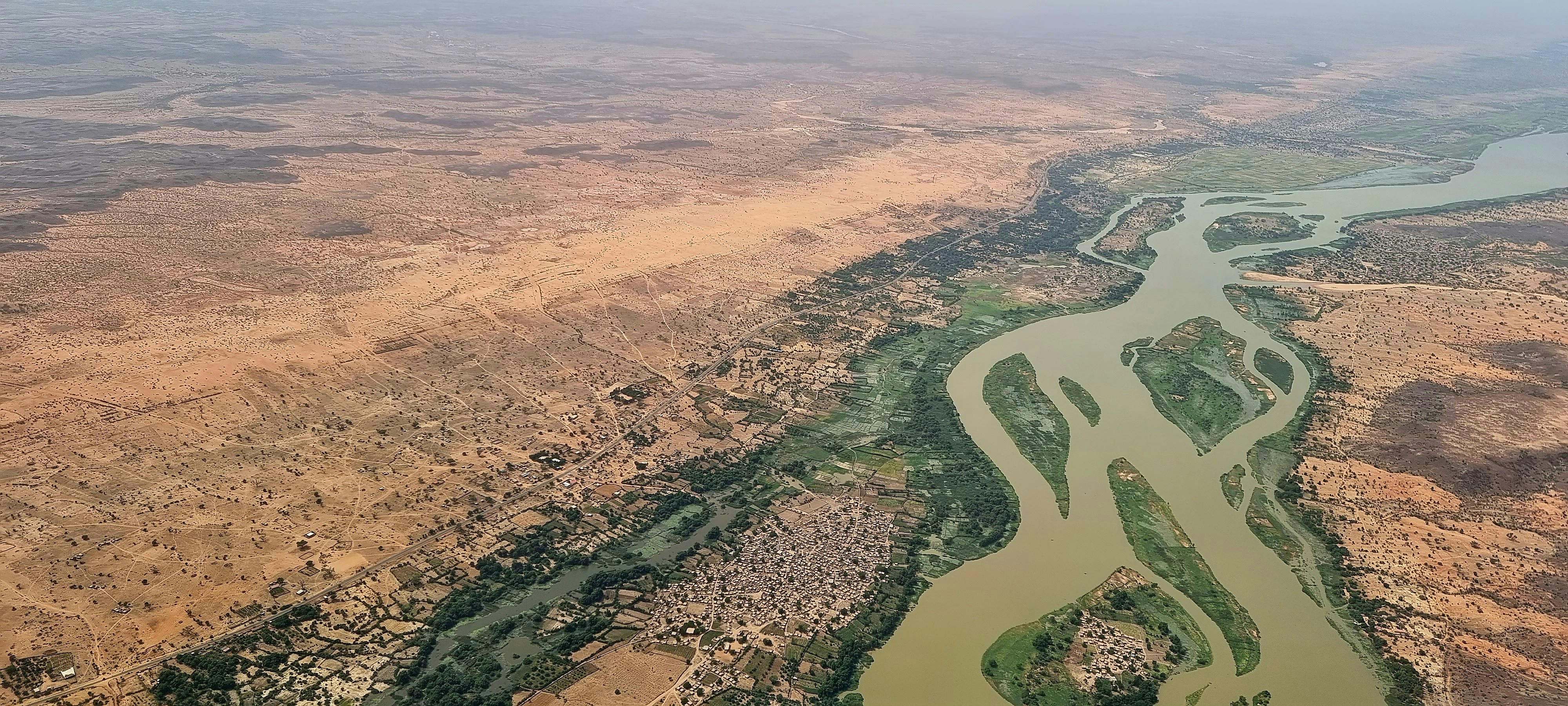
TL;DR: Choosing an eSIM for Niger
Hello’s eSIM for Niger is a convenient choice for travelers who want mobile data ready before landing, especially in Niamey and other major towns. Hello offers plans starting at 5GB, with prices updated live in the Hello app, so check the current cost and validity period before purchasing. Coverage is strongest in urban areas and along populated southern corridors; remote desert regions may have weak or no cellular service.
Install your Hello eSIM over Wi-Fi before departure, keep your primary SIM available for calls if needed, and switch mobile data to Hello when you arrive. For trip costs, Hello also combines AI receipt scanning, multi-currency expense tracking, voice entries, bank-statement imports, and expense splitting in one travel companion app.
Niger eSIM Plans: How Much Data Do You Need?
The best Niger eSIM plan depends on whether you need occasional navigation or daily sharing, but a 5GB Hello plan is a practical starting point for most short trips. Hello’s Niger plans begin at 5GB, and live pricing and validity details are shown before checkout rather than fixed permanently in this guide. This matters because promotions, exchange rates, and plan availability can change during 2026.
Use this guide when estimating your Niger mobile data:
| Trip style | Suggested data | Typical use |
|---|---|---|
| Short city break | 5GB | Maps, messaging, ride coordination, light browsing |
| One- to two-week trip | 5–10GB | Regular navigation, social media, translation, bookings |
| Remote-work travel | 10GB or more | Video calls, cloud files, hotspot use |
Maps and messaging usually consume modest amounts of data, while video calls, automatic photo backups, and social-media video can use several hundred megabytes per hour. Download offline maps before leaving Niamey, disable automatic app updates, and use hotel or trusted café Wi-Fi for large files. Review the current Hello eSIM for Niger options before buying, then match the plan’s validity to your arrival and departure dates.
Niger Mobile Coverage: Niamey, Agadez, and Remote Routes
Hello eSIM coverage is most dependable in Niamey and larger population centers, while travelers should expect slower or absent Niger mobile data across remote desert and rural areas. Current coverage guides report 3G or 4G availability in Niamey and major towns, with service often falling to 2G or disappearing entirely outside populated corridors. The country’s enormous distances make offline preparation essential.
In Niamey, data is generally suitable for maps, messaging, translation, and online bookings around Diori Hamani International Airport, the city center, Plateau, the Grand Marché, and neighborhoods on both sides of the Niger River. Regional centers such as Maradi, Zinder, Tahoua, and Agadez can have usable service, but performance varies by district and local network conditions.
Expect more uncertainty on long road journeys and in the Aïr Mountains, Ténéré, northern mining areas, and border regions. Some routes may have extended dead zones, and no travel eSIM can create a signal where there is no mobile network. Carry printed or downloaded directions, tell someone your itinerary, and consider a satellite messenger for genuinely remote expeditions. Hello’s eSIM provides data where its partner network has coverage; it is not a substitute for emergency communications planning.
How to Set Up a Hello eSIM for Niger
Install your Hello eSIM while connected to reliable Wi-Fi before departure, then activate mobile data on the Hello line after landing in Niger. Pre-installation lets you troubleshoot before travel and means you can arrive with internet for airport coordination, maps, messaging, and translation instead of searching for a shop immediately.
Follow these steps:
- Open the Hello app on iOS or Android and select Niger from the eSIM destinations.
- Choose a plan with enough data and validity for your itinerary; Hello plans start at 5GB and prices are updated live.
- Purchase the plan and follow the in-app installation instructions while on Wi-Fi.
- Label the new line “Hello Niger” so it is easy to identify in your phone settings.
- Keep your primary SIM active for calls or SMS if required, but set Hello as the mobile-data line.
- Turn on data roaming for the Hello line if the installation instructions request it.
- Disable data switching on your primary line to avoid accidental roaming charges.
Before leaving, test that the eSIM appears in your cellular settings, but do not activate it prematurely if the plan’s validity begins at installation. At arrival, restart your phone if necessary and allow a few minutes for network registration.
Practical Niger Travel Internet Tips for 2026
Reliable Niger travel internet depends as much on preparation as on the eSIM itself, because signal, electricity, and long travel distances can all affect connectivity. Niamey has the most consistent urban service, while journeys toward Agadez, the Sahara, or remote rural communities require offline alternatives and realistic expectations about mobile data.
Useful habits include:
- Download maps for Niamey, Agadez, Zinder, Maradi, and your driving routes before departure.
- Save hotel names, addresses, permits, driver contacts, and emergency numbers offline.
- Carry a power bank; charging opportunities may be limited during overland travel.
- Use messaging rather than voice or video calls when bandwidth is weak.
- Ask permission before photographing people, government buildings, security installations, or sensitive locations.
- Confirm local security and movement advice before traveling beyond major cities, particularly near border areas.
- Keep some cash in West African CFA francs for transport, food, and small purchases; card acceptance is limited outside larger hotels and businesses.
For a rough 2026 budget, a simple local meal may cost around 2,000–5,000 XOF, while a meal in a more established hotel or international restaurant can be approximately 8,000–20,000 XOF. Track these costs in Hello using automatic exchange rates, AI categorization, receipt scanning, or voice expense entry.
Common Questions About eSIM Niger Connectivity
Most travelers can use Hello eSIM for Niger mobile data without replacing their physical SIM, provided their phone is unlocked and eSIM-compatible. The main limitations are network coverage outside towns, plan validity, and whether you need phone calls or SMS rather than data-only access.
Does an eSIM work in Niger? Yes, Hello offers Niger data plans for compatible, unlocked iOS and Android devices. The eSIM connects through available local partner networks, so service depends on coverage in your location.
Will Hello eSIM work in Niamey? Niamey is the most reliable place to use Niger mobile data, including around the airport, central districts, major markets, and hotels. Speeds can still vary by building, congestion, and network conditions.
Will I have coverage in the Sahara or Aïr Mountains? Do not rely on cellular service in remote desert or border areas. Coverage guides report major gaps or no coverage across parts of the northern desert, so download information and arrange suitable emergency communication before departure.
Can I use my physical SIM and Hello eSIM together? Usually, yes. Keep your primary SIM selected for calls and SMS if needed, set Hello as the data line, and turn off data roaming on the primary line to reduce unexpected charges.
Can I share Hello Niger data by hotspot? Hotspot behavior depends on the plan and device configuration. Check the plan details in the Hello app before relying on tethering for laptops or companions.
Managing Group Travel Costs and Data in Niger
Hello is useful for group trips because it combines Niger connectivity with expense splitting and budget tracking, helping travelers manage both data and daily spending in one app. This is especially practical when friends share drivers, accommodation, meals, fuel, or guide costs in different currencies.
Each traveler can record expenses using a receipt photo, typed entry, or voice command. Hello’s AI receipt scanning supports multiple languages and currencies, while automatic exchange-rate conversion helps compare amounts when costs are quoted in West African CFA francs and your home currency. Bank statements can also be imported from CSV or PDF files for a broader trip review.
For example, if three travelers share a 15,000 XOF dinner, one person can enter the receipt, categorize it as dining, and split the cost among the group. If another friend pays for a 30,000 XOF vehicle transfer, Hello can record the expense and calculate the balance using its multi-currency tools. This avoids relying on handwritten notes or mental conversions.
Install Hello from travelwithhello.com or the App Store or Google Play, purchase your Hello eSIM for Niger before departure, and set a daily data target. A 5GB plan over 10 days averages roughly 500MB per day, enough for messaging and navigation if you limit video and large downloads.
Explore These Destinations
Stay Connected
Stay connected in Niger
Get an eSIM before you land. Hello gives you instant data in 200+ countries — no SIM swaps, no roaming fees.
Related Articles
Niger Safety Guide: Tips for a Safe Trip
Safety tips, health advisories, emergency contacts, common scams, and travel insurance advice for Niger.
20 July 2026
Niger Visa & Entry Requirements for Singapore Passport Holders
Visa requirements, passport validity, customs allowances, and entry tips for Singapore citizens travelling to Niger.
11 July 2026
Niger in 10 Days: The Ultimate Travel Itinerary
A comprehensive 10-day itinerary for Niger covering top attractions, hidden gems, daily costs, and transport between cities.
22 June 2026